Merge, split and tidy PDFs just by asking.
Type what you want, like "merge this month's VendorX invoices, sorted by date". The AI assistant finds the files, arranges the pages and prepares the result for you to approve. The PDFs stay on your device.
Free for Windows, macOS and Linux. You can also install it from Chrome or Edge, whichever you prefer.
No account yet? Sign up free and get 2,000 AI credits right away.
- Desktop app: Windows · macOS · Linux
- Or install from Chrome or Edge
- Or use it in a browser tab
 Smart Merge PDF Local
- PDF INV-0918.pdf
- PDF INV-0923.pdf
- PDF scan_027.pdf
- PDF Contract-VendorX.pdf
- JPG ID-card.jpg
Everything you do with PDFs, in one app
Use each tool by hand, or ask the assistant and it uses the same tools for you. The basic tools run on your device and are free.
Merge PDF
Combine PDFs and images into one file, in the order you choose.
OpenSplit PDF
Cut a PDF into several files by page range, or one file per page.
OpenCompress PDF
Shrink files for email and upload portals, or fit them under a size limit.
OpenPDF to JPG / PNG
Turn pages into images at 96, 150 or 300 dpi.
OpenJPG to PDF
Turn photos and scans into a PDF, one page per image.
OpenOrganize pages
Reorder, rotate and remove pages, or move pages between documents.
OpenEdit PDF
Change the existing text and images, in a font that matches the document.
Free: 3 documents/day
OpenSign & annotate
Add your signature, stamps, text, highlights, shapes and whiteout.
OpenFill in forms
Type into the fields of a PDF form and save a filled-in copy.
OpenRedact Pro
Remove names, ID numbers and other sensitive data for good. Found automatically, on your computer.
OpenPage numbers & watermark
Number the pages, or stamp a watermark such as DRAFT or CONFIDENTIAL.
OpenPassword-protect PDF
Lock a PDF with a password (AES-256), or remove a password you know. Saved as a new copy, on your device.
OpenTranslate PDF AI
Translate a document into another language and keep its layout.
OpenInvoices to Excel AI
Pull numbers, dates and totals from invoices and receipts into a spreadsheet you review.
OpenDocument checklist AI
Check a set of documents for a loan, job or visa and see what is missing.
OpenRename with AI AI
Give scanned files meaningful names from their content. You review them first.
OpenRead Excel and Word AI
Search spreadsheet cells and Word paragraphs or tables, with references to where the information came from.
OpenNo clicking through menus. Just say it.
The AI assistant uses the same PDF tools you do: finding files, picking and grouping pages, reordering, rotating, merging, splitting and compressing. Every step shows up as a proposal on the canvas, and nothing changes until you press Apply.
Merge all of this month's VendorX invoices, sorted by date.
12 files searched · 3 invoices found · 1 PDF by date
Split this class's report-card scan into one PDF per student, named after each student.
1 scan → 32 PDFs, each named after a student
Combine every student's documents into one PDF, grouped per student, A to Z.
One card per student → 1 PDF sorted by name
Shrink every PDF in this folder to under 1 MB for the upload portal.
Every file compressed, sizes before & after reported
Put the number, date and total of September's invoices into Excel.
A table sourced cell by cell, doubtful values flagged
Drop the blank pages, rotate the upside-down ones, then number the pages.
Pages removed, rotated & numbered, ready to review
You approve. Every change shows up as a proposal you can apply or discard.
How it differs from typical online PDF tools
Online PDF tools usually upload your files to their servers. In Smart Merge PDF, the PDF work runs on your own device.
Processed on your device
Merging, splitting, compressing, editing, redaction and OCR run in your browser or the desktop app.
Files aren't stored on our servers
The server only records how much AI you used, for billing, never document content.
AI with per-page permission
The assistant names the file and pages it wants to read. Only that page text or image goes to the Claude AI model (Anthropic).
| Typical online PDF tools | Smart Merge PDF | |
|---|---|---|
| Where files are processed | Uploaded to a server | On your device (browser or desktop) |
| File storage | Kept for a while on someone else's server | Not stored on our servers |
| Usage limits | Often capped by file size and uses per day | No daily limits; size only limited by your device memory |
| Speed | Depends on upload speed and server queues | Processed right away, no waiting for uploads |
| AI | Chat with one file | Works across a whole folder, with proposals you review |
| Payment | Usually card only | Card, or QRIS / bank transfer / e-wallet in Indonesia |
Merge PDFs right here, right now
No sign-up. Drop two PDFs or images into the box below and download the result.
Built for everyday document work
An AI assistant that actually does the work
Not just a chat about a PDF's content. The assistant works across your whole folder: finding files, reading the pages you allow, then arranging, merging, splitting, extracting and renaming. It's all prepared as a proposal, and nothing changes until you press Apply.
The AI only receives the text or images of pages you allow, never your whole folder.
Fast when you do it yourself, too
Merge, split, rotate, reorder and compress pages on an infinite canvas. It all runs on your device, so big files never wait on an upload.
- Edit the PDF's own text & images
- Signatures, stamps, whiteout, watermarks
- Fill PDF forms
- Permanent redaction (content truly removed)
- OCR for scans
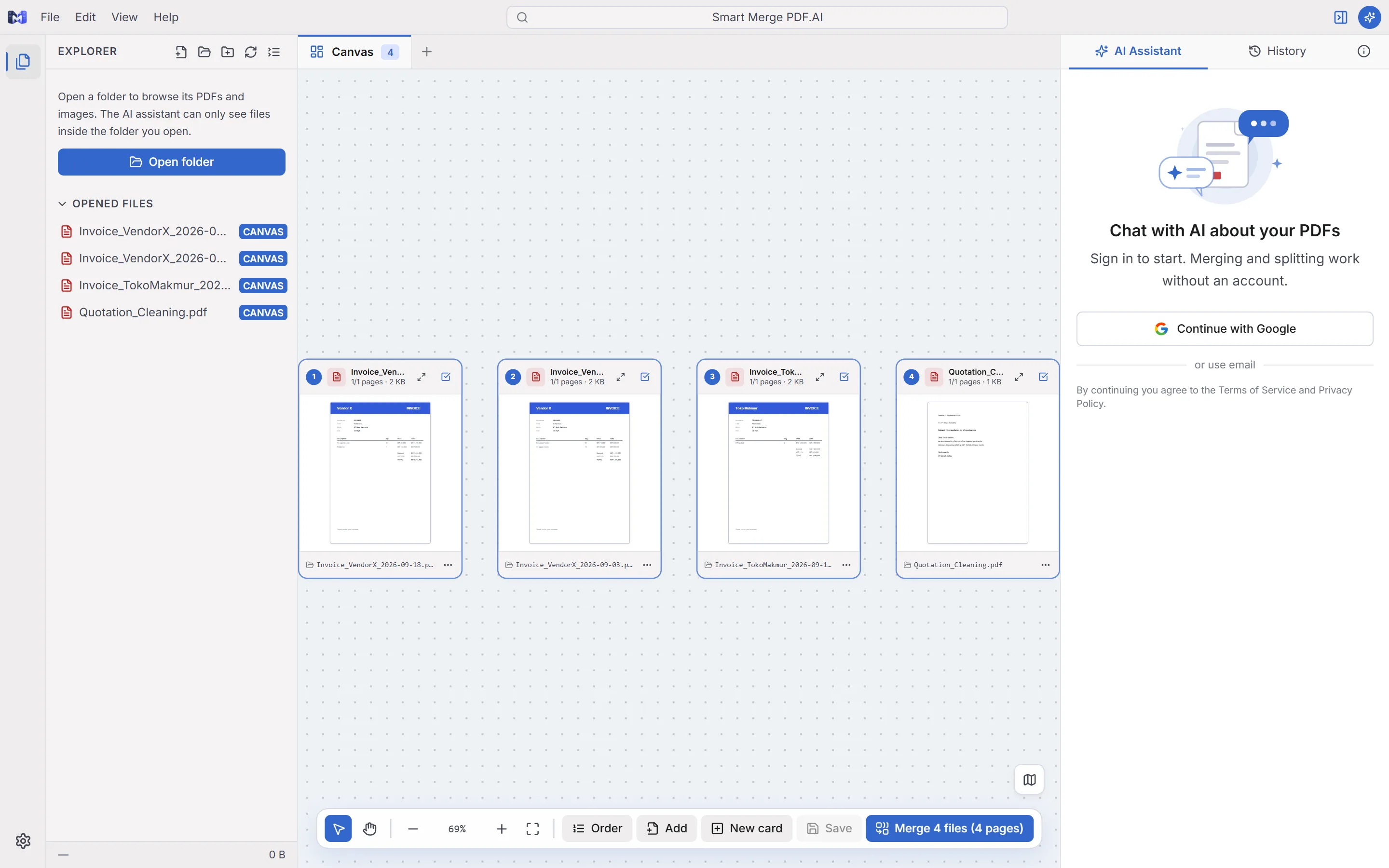
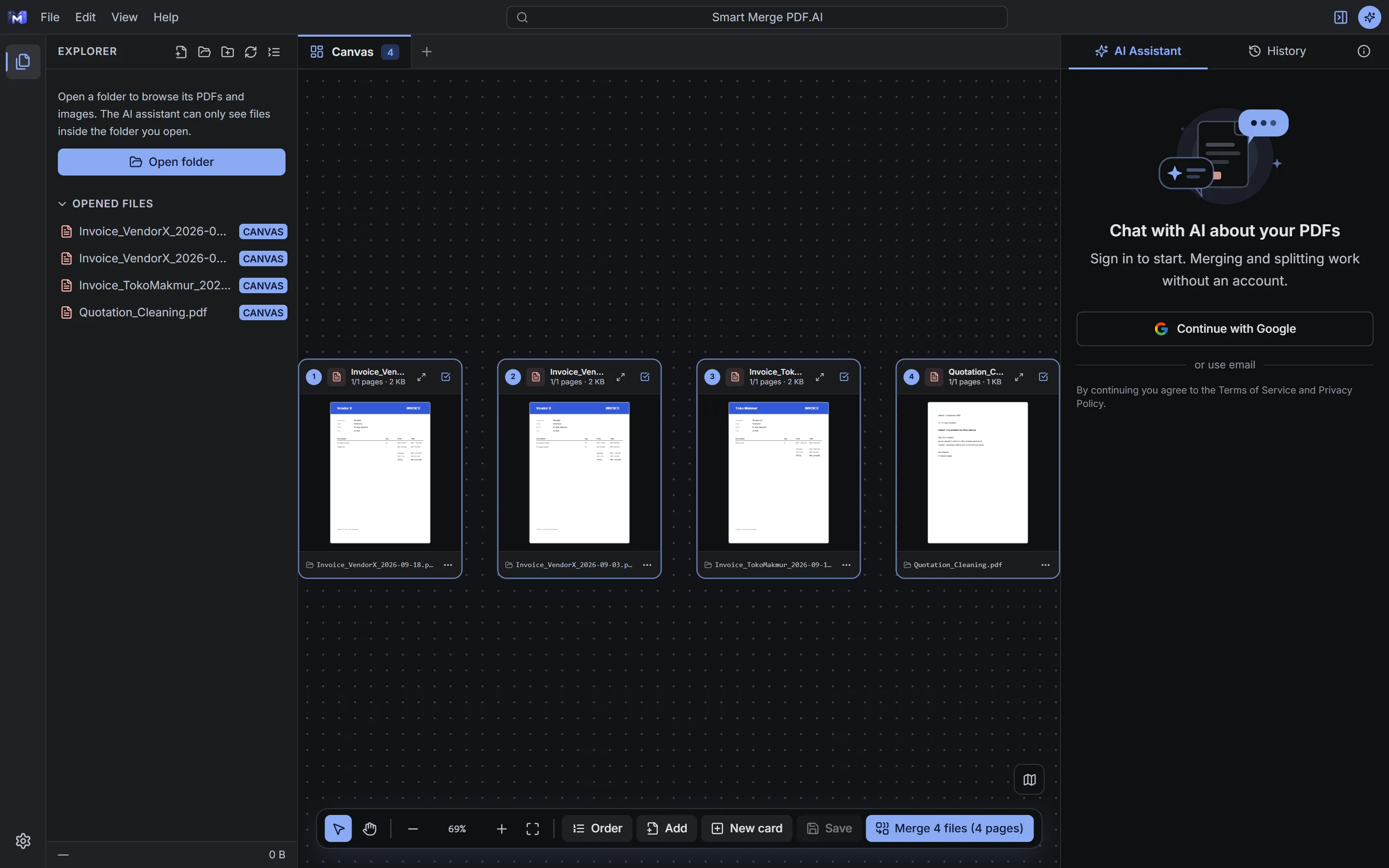
Copy results with clean formatting
Summaries and tables from the assistant copy in one click and paste into Word, Google Docs or WhatsApp. Tables stay tables, bold stays bold.
- Word & Google Docs: tables with borders and headers
- WhatsApp: *bold* and _italic_ applied, tables aligned
- Or export the summary straight to Excel
Clear pricing. PDF tools free forever.
Pro is paid once a year. You only pay for more AI credits and professional features.
Free
For everyday personal use.
- Unlimited local PDF tools
- 2,000 AI credits once at sign-up (≈ 20 tasks)
- Compress to a size 3× a day
- Edit text & images in 3 documents a day
- Redaction: mark & preview
Pro 30K
For regular document work.
- Unlimited local PDF tools
- 30,000 AI credits at once, never expire (≈ 300 tasks)
- Unlimited compress-to-size
- Unlimited text & image editing
- Permanent redaction
Pro 50K
For regular AI work.
- Unlimited local PDF tools
- 50,000 AI credits at once, never expire (≈ 500 tasks)
- Unlimited compress-to-size
- Unlimited text & image editing
- Permanent redaction
Pro 100K
For heavy AI use.
- Unlimited local PDF tools
- 100,000 AI credits at once, never expire (≈ 1,000 tasks)
- Unlimited compress-to-size
- Unlimited text & image editing
- Permanent redaction
Frequently asked questions
Is Smart Merge PDF free?
Are my files uploaded?
What's the difference between the installed app and the web version?
How can I pay?
What are AI credits?
Try it now, free
Download the desktop app, install it from Chrome or Edge, or open it right in your browser. Basic PDF tools are free and unlimited, and a free account comes with AI credits.